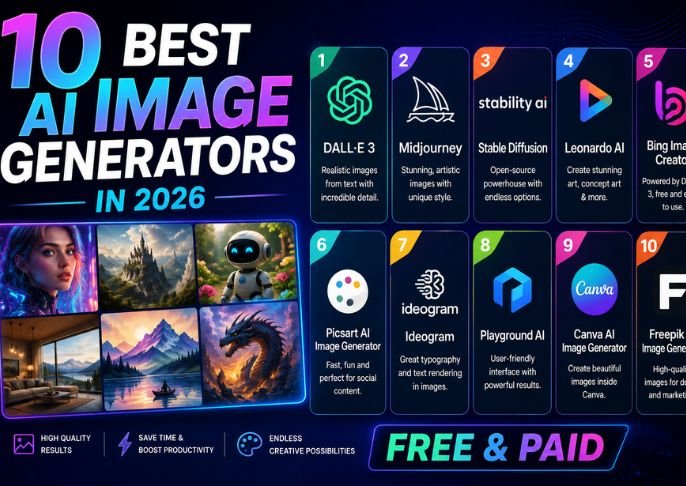
10 Best AI Image Generators in 2026: Free & Paid
AI image generation has become one of the most useful applications of artificial intelligence. What once required advanced graphic-design skills can now be done with a simple text prompt. Whether you are a blogger, marketer, designer, social media creator, student, or business owner, AI image generators can help turn ideas into visuals within minutes.
In 2026, there are more AI image tools available than ever, with options ranging from free platforms for beginners to advanced paid services for professional creative work. At Wallpostmedia.com, we explore useful technology and AI tools to help readers choose the right solutions for their needs.
Below are 10 of the best AI image generators in 2026, along with their key strengths and ideal use cases.
1. ChatGPT: AI Image Generators
ChatGPT can generate images from natural-language prompts, making it useful for people who want to create visuals without learning complicated design software.
You can describe the subject, style, composition, mood, background, or other details you want. It can also be useful for brainstorming visual concepts and creating images for different types of content.
Best for: Beginners, content creators, brainstorming, and general-purpose image creation.
2. Midjourney: AI image generators
Midjourney has become well known for producing highly detailed and visually creative AI-generated images.
It is particularly popular among artists, designers, photographers, and creators who want to experiment with artistic styles and imaginative concepts.
Midjourney can be useful for creating character concepts, fantasy scenes, editorial-style visuals, and creative artwork.
Best for: Artistic images, creative concepts, illustrations, and visual experimentation.
3. Adobe Firefly: AI image generators
Adobe Firefly is designed for creative professionals and integrates generative AI into Adobe’s broader creative ecosystem.
It can help users generate images, edit existing visuals, expand compositions, and experiment with different creative concepts.
For people already using Adobe products, Firefly can fit naturally into an existing design workflow.
Best for: Designers, marketers, image editing, and professional creative work.
4. Google Gemini: AI image generators
Google’s Gemini can also assist with image-generation tasks, depending on the available model and user access.
Its conversational approach allows users to describe what they want and refine an image concept through follow-up instructions.
For people already using Google’s AI ecosystem, this can make image creation convenient.
Best for: General image creation, brainstorming, and Google ecosystem users.
5. Canva: AI image generators
Canva is widely used for social media graphics, presentations, marketing materials, posters, and other visual content. Its AI features can help users create and edit visual assets directly within the Canva environment.
One major advantage is that generated images can be incorporated into designs without moving between multiple applications.
Best for: Social media posts, presentations, marketing graphics, and beginners.
6. Ideogram: AI image generators
Ideogram is particularly interesting for users who need images containing readable text. Text rendering has historically been a challenge for many AI image generators, but Ideogram has focused heavily on typography and text-based visual creation.
This makes it useful for posters, logos, advertisements, social graphics, and other designs where words are part of the image.
Best for: Text-based images, posters, logos, advertisements, and graphic design.
7. Leonardo: AI image generators
Leonardo AI provides tools for generating and developing visual content. It can be useful for concept art, characters, game assets, illustrations, and creative projects.
Its range of controls and creative options makes it appealing to users who want more customization than a basic text-to-image experience.
Best for: Game assets, concept art, characters, and creative projects.
8. Microsoft Designer: AI image generators
Microsoft Designer uses AI to help users create graphics and visual content from simple descriptions.
It can be useful for people who need quick social media graphics, invitations, promotional designs, and other visual materials without extensive design experience.
Its simple approach makes it suitable for beginners.
Best for: Quick designs, social media graphics, invitations, and marketing content.
9. Stable Diffusion: AI image generators
Stable Diffusion is an important name in the AI image-generation ecosystem, particularly among users interested in customization and open-source technology.
Depending on the implementation, users can gain significant control over models, workflows, styles, and generation settings.
It can be more technically demanding than some beginner-friendly platforms, but that flexibility is one of its biggest advantages.
Best for: Advanced users, customization, experimentation, and technical workflows.
10. DreamStudio: AI image generators
DreamStudio provides an accessible interface for AI image generation based on Stability AI technology.
It can be useful for users who want to experiment with AI-generated artwork without setting up a complex local environment.
Best for: Creative experimentation, illustrations, and users exploring AI image generation.
Free vs Paid AI Image Generators
One of the biggest questions for new users is whether they should choose a free or paid AI image generator.
Free AI Image Generators
Free options can be useful if you are learning how AI image generation works or only need occasional visuals.
Advantages can include:
- No subscription required
- Easy experimentation
- Suitable for beginners
- Useful for occasional projects
However, free plans may have limits on image generation, resolution, editing capabilities, or commercial features.
Paid AI Image Generators
Paid tools generally provide greater access to advanced features and higher usage limits.
They may offer:
- Higher-resolution outputs
- More generations
- Advanced editing
- Faster processing
- Better creative controls
- Commercial-use options
- Additional workflow features
For professional designers, agencies, marketers, and businesses, a paid plan may be more practical.
How to Choose the Best AI Image Generator
There is no single tool that is perfect for everyone. Your choice should depend on what you want to create.
For Beginners
Tools such as ChatGPT, Canva AI, and Microsoft Designer can be easier starting points because they focus on straightforward interfaces and natural-language instructions.
For Professional Designers
Adobe Firefly and Midjourney may be worth exploring if you need more creative control or want to integrate AI into a professional design workflow.
For Text in Images
Ideogram is worth considering when accurate text placement is particularly important.
For Advanced Customization
Stable Diffusion and Leonardo AI can provide more control for users who are comfortable experimenting with advanced settings and workflows.
Tips for Writing Better AI Image Prompts
The quality of your prompt can have a major impact on the result.
Instead of writing:
“A city.”
Try something more detailed:
“A modern London street at sunset, cinematic photography style, wet pavement reflecting city lights, pedestrians in the distance, realistic architecture, detailed composition.”
You can describe:
- Subject
- Location
- Lighting
- Camera style
- Composition
- Colors
- Mood
- Art style
- Background
- Level of detail
You can also refine the prompt after seeing the first result.
Can AI-Generated Images Be Used Commercially?
Commercial use depends on the specific platform, plan, image model, and applicable terms. Some services provide commercial rights under certain conditions, while others may have restrictions.
Before using an AI-generated image for advertising, products, websites, or client work, check the current terms of the service you are using.
You should also be careful when generating images involving recognizable people, copyrighted characters, brands, or other protected material.
Are AI Image Generators Replacing Designers?
AI image generators are changing the creative process, but they do not eliminate the need for human creativity.
Professional designers still provide important skills such as:
- Creative direction
- Brand consistency
- Typography
- Composition
- Editing
- Client communication
- Visual storytelling
- Strategic decision-making
AI can speed up certain tasks, but human judgment remains valuable.
Final Thoughts: AI image generators
The 10 best AI image generators in 2026 offer different strengths for different types of users. ChatGPT and Gemini provide accessible conversational image creation, Midjourney is popular for creative visuals, Adobe Firefly fits professional creative workflows, while Canva AI and Microsoft Designer are useful for everyday design.
Ideogram is worth considering for text-heavy graphics, while Leonardo AI and Stable Diffusion offer additional flexibility for users who want more control.
The best approach is to test a few platforms and compare their results for your specific needs. Whether you need a blog feature image, social media graphic, marketing visual, concept illustration, or professional artwork, AI image generators can make the creative process faster and more accessible.
For more AI guides, technology updates, productivity tools, and digital trends, visit Wallpostmedia.com.