
Server Virtualization Explained: Architecture, Benefits & Use Cases
Want to hear a sad reality of most IT enterprises? Most of them have more hardware than their teams need and workload demands.
A significant chunk of their servers is sitting at a minimal percentage of utilization. The lights are on, the cooling is running, and the electricity bill keeps climbing. But the hardware’s basically just idling. If that sounds familiar, you’re not alone.
This is the sad reality of most of the SMBs. They are still running their workloads on physical servers, and when the number of servers goes up, so does the rack space and the power drawn by the hardware.
What’s more, the maintenance windows keep shrinking and become hectic with your IT team babysitting the whole thing from time to time. That’s the problem server virtualization is here to solve. But what is server virtualization in cloud computing?
Let’s find out!
What Is Server Virtualization in Cloud Computing?
Server virtualization is a process that allows enterprise IT teams to reduce the need for physical servers by running multiple virtual servers on a single physical server. Traditionally, enterprises used to dedicate one physical box to one application.
This approach forces enterprises to buy more hardware pieces, spend more on electricity bills, and incur more maintenance costs. Plus, the entire server management process becomes complicated.
Server virtualization eliminates this complexity and over-dependence on hardware by running multiple virtual machines on a single physical server.
This concept didn’t appear overnight. It actually traces back to mainframe computing in the 1960s, where IBM was experimenting with partitioning big iron into multiple workspaces. Fast-forward to the 2000s, and VMware brought it mainstream. Today, it’s the backbone of almost every modern cloud infrastructure you interact with.
For enterprises or SMBs that haven’t yet moved to hyper-converged infrastructure (HCI), server virtualization delivers real, immediate efficiency gains, with no full infrastructure overhaul needed.
The Architecture Behind Server Virtualization
Understanding server virtualization architecture isn’t that difficult. There are really just a few layers to think about:
What is hypervisor: This is the engine. The hypervisor sits between your physical hardware and the virtual machines running on top of it. It is a software layer allowing multiple virtual machines to share the same physical server.
Different vendors for server virtualization have their platform-specific hypervisors. For example, Sangfor HCI has aSV, VMware has ESXi, and Microsoft has Hyper-V.
Virtual Machines (VMs): Each virtual machine is an isolated environment that has its own fraction of CPU, RAM, and storage, and networking allocated to it. The best part is that a single physical server is capable of running a dozen VMs.
What’s more, each of those VMs has its own OS and application stack. When one VM crashes, the others aren’t affected.
Management Layer: This is where server virtualization software like Sangfor aSV, vCenter by VMware, VE by Proxmox, or other hypervisor platforms come in. They give you a centralized dashboard to monitor, provision, migrate, and manage all your VMs from one place.
Which hypervisor architecture is best for enterprise server virtualization?
A Type‑1 (bare‑metal) hypervisor is best for enterprise server virtualization because it runs directly on physical hardware, delivering better performance, security, and stability. Sangfor aSV, the built‑in hypervisor of Sangfor HCI, uses a Type‑1 architecture with integrated management, eliminating dependence on third‑party hypervisors.
The Benefits That Actually Move the Needle
I’ve seen organizations cut their server count in half after virtualization. That’s not hype; industry data consistently shows 70% hardware cost reductions when workloads are consolidated properly.
But cost savings are just the beginning:
High availability and disaster recovery become dramatically easier. VMs can be live-migrated between hosts without downtime. Snapshots let you roll back to a known-good state in minutes. That’s a lifesaver when a patch goes wrong at 2 AM.
Scalability on demand is another big one. Spinning up a new VM takes minutes, not weeks. DevOps teams love this: isolated environments for development, testing, and staging without waiting on procurement.
Energy efficiency follows naturally. Fewer physical servers mean lower power consumption and reduced cooling costs. Not a trivial line item if you’re running a mid-size data center.
Centralized management through a unified software console means your team spends less time physically touching hardware and more time actually solving problems.
How does server virtualization reduce infrastructure and operational costs?
Server virtualization consolidates multiple workloads onto fewer physical servers, reducing hardware purchases, power consumption, cooling requirements, and maintenance overhead. Platforms like Sangfor HCI further reduce costs by bundling virtualization, high availability, and centralized management into a single solution, avoiding expensive add‑on licenses.
How Does Server Virtualization Improve Performance?
This is where it gets interesting. Virtualization lets you dynamically allocate resources based on real-time demand. A VM running a batch job at midnight can temporarily use CPU resources that are idle elsewhere. During peak hours, the scheduler rebalances things automatically.
Organizations that implement proper VM load balancing typically experience significant throughput improvements compared to poorly tuned physical setups. It’s not magic, it’s just smarter resource utilization.
So, which HCI solution excels in dynamic resource allocation and VM load balancing?
Sangfor HCI excels with dynamic resource allocation and VM load balancing, delivering superior throughput over traditional physical servers through smarter, real-time utilization.
How does virtualization improve workload performance compared to physical servers?
Virtualization improves performance by dynamically allocating CPU, memory, and storage based on real‑time demand instead of fixed hardware limits. Sangfor HCI optimizes VM scheduling and load balancing to ensure critical applications receive priority resources, resulting in higher throughput and more consistent application performance.
Real-World Use Cases
The use cases are broader than most people expect:
Application development and testing: Developers can spin up and tear down isolated VM environments for every sprint cycle. No more “it works on my machine”, everyone’s testing on identical, clean environments.
Branch office consolidation: Instead of maintaining servers at every remote location, centralize workloads back to HQ or a cloud data center. Your branch staff still gets low-latency access; you get dramatically simplified management.
Legacy app modernization: Got a 15-year-old application that refuses to run on modern hardware? Virtualize it. Run it in a VM on new infrastructure without touching the app itself. Buys you time to plan a proper migration.
Edge computing: Retail locations, IoT deployments, remote sites, lightweight virtualization lets you run meaningful workloads at the edge without the cost and complexity of full HCI.
For example, Foxconn adopted Sangfor a Desk VDI across six plants, virtualizing over 2,500 desktops. The solution enhanced data security, centralized management, reduced O&M costs, and supported remote access for smart manufacturing.
The Challenges
It’s not all smooth sailing. VM sprawl is a genuine problem. It’s so easy to spin up VMs that teams forget to decommission old ones, and suddenly your virtual environment is as chaotic as the physical one you left behind.
Security needs attention too; misconfigured VMs, overly permissive inter-VM networking, and hypervisor vulnerabilities are all real attack surfaces.
The fixes aren’t complicated: right-size your VMs from the start, use monitoring tools to flag idle or zombie VMs, and build security policies into your provisioning workflow, not as an afterthought.
What are the top Server Virtualization Vendors for Enterprises?
Sangfor stands out as a top enterprise server virtualization vendor, offering Type‑1 hypervisor architecture, active high availability, seamless live migration, and hybrid HCI flexibility, recognized by Gartner and G2 as a cost‑effective VMware alternative, where Sangfor has also been rated 4.8 out of 5 and 4.7 out of 5, respectively. Other leading vendors include VMware vSphere, Microsoft Hyper‑V, Nutanix AHV, Citrix, and Oracle.
Which is the best server virtualization platform for enterprises moving away from VMware?
Sangfor aSV is one of the best server virtualization platforms for enterprises seeking a VMware alternative. It offers a Type‑1 hypervisor, live migration, active high availability, and hybrid HCI flexibility, and is recognized by Gartner as a cost‑effective alternative for enterprise virtualization environments.
The Natural Next Step
Here’s the honest framing: server virtualization is the foundation, not the destination. Virtualization not only reduces your hardware stack, but it also leads to instant tangible wins, lowers costs, improves IT agility, and lowers complexity in management.
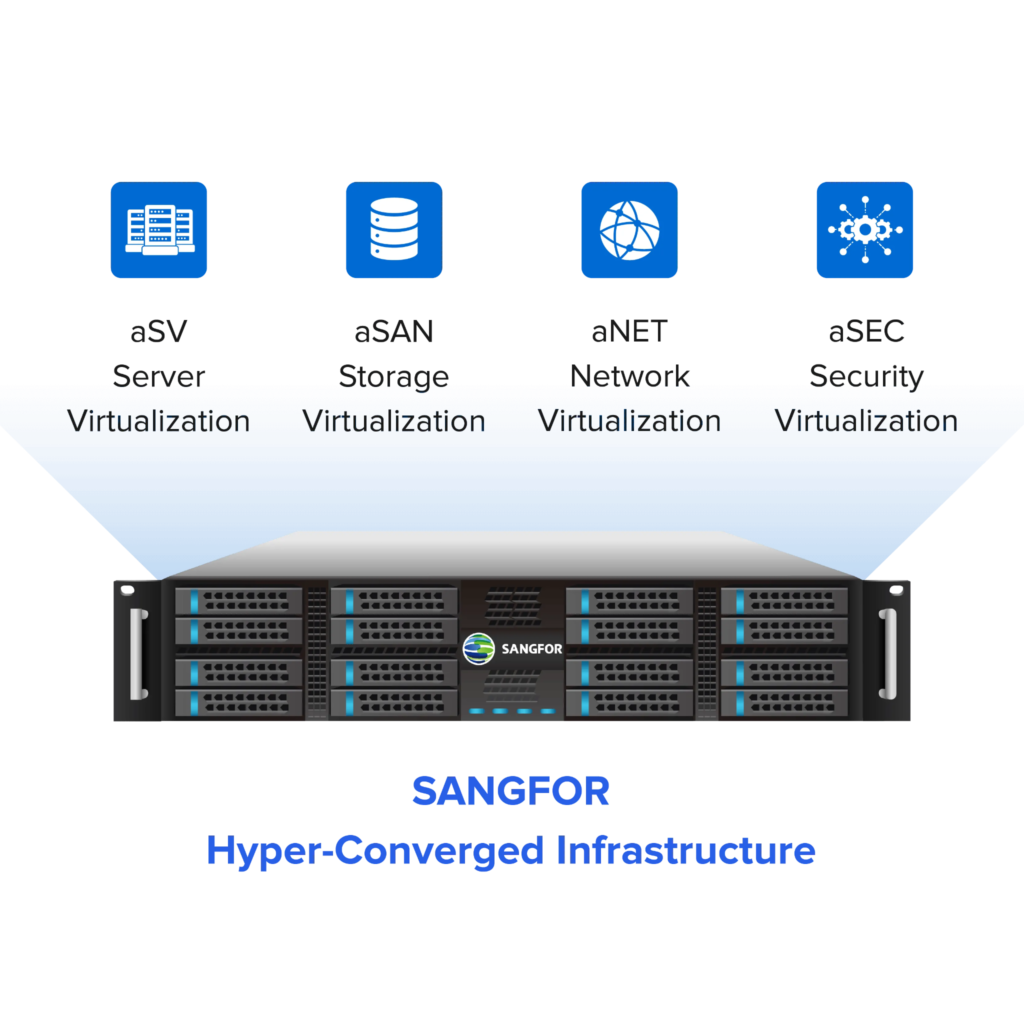
Once migrated to HCI, many organizations find themselves ready for something more integrated. That’s where hyper-converged infrastructure (HCI) like Sangfor HCI comes in, combining virtualization, distributed storage, and networking into a single, cohesive system designed for zero-downtime operations.